

Second Life Inventory Cleanup And Why It Matters
If you’ve been in Second Life long enough to collect more folders than friends, you already know the pain. A cluttered inventory isn’t just annoying, it slows your viewer, buries your best outfits, and makes dressing feel like digital archaeology. Whether you call it inventory cleanup, decluttering, or organising your Second Life life, it’s the one maintenance task we all avoid until it becomes unbearable. But here’s the thing: a cleaner inventory means a smoother Second Life. Literally.
The Origin of Second Life Cleanup Week
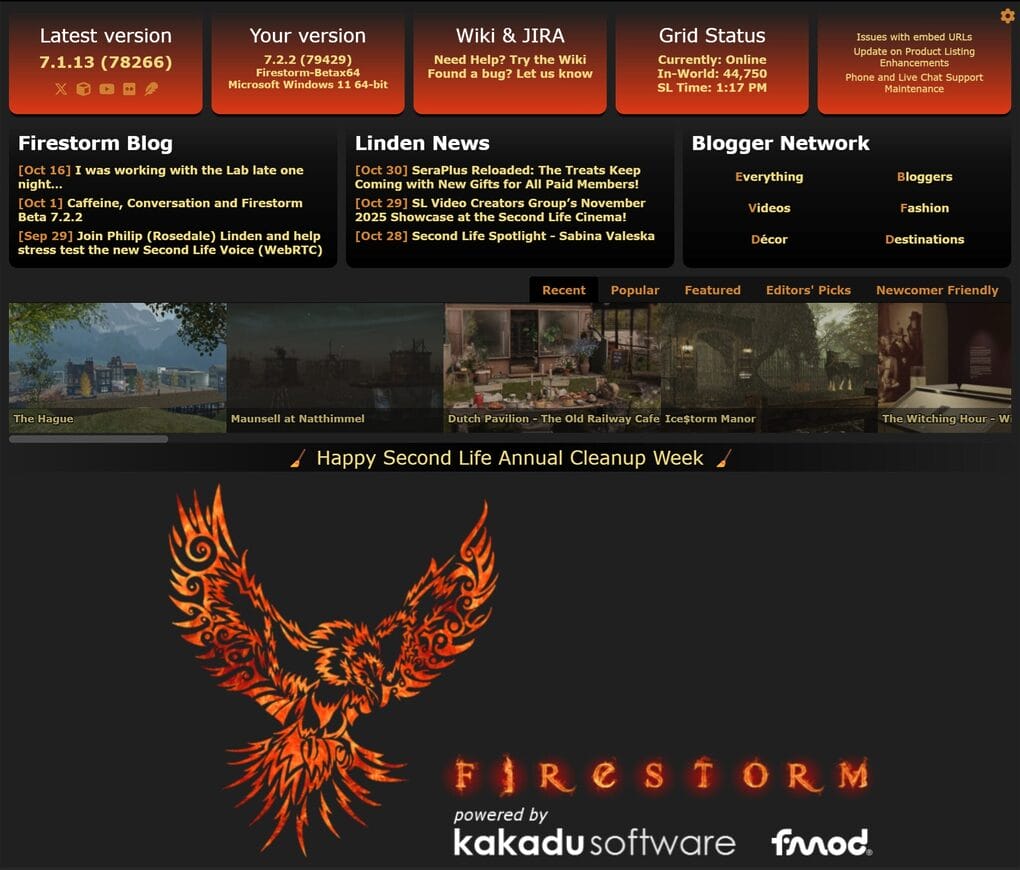
Once upon a time, a Teen Grid resident named Alpha Zaius looked at his messy inventory and decided enough was enough. Instead of just deleting a few cubes, he declared the week after Halloween “Second Life Inventory Cleanup Week.” It caught on as a kind of digital spring cleaning before winter hit the grid. Somewhere along the way, we forgot about it, but maybe it’s time to bring it back.
Now, those of us who’ve been around a while look at our inventories, shake our heads, and whisper: if only I’d known…
It doesn’t matter how many times I clean it up, I always fall behind. I try to be organised. I even make folders with names that sound efficient, like “2024 Purchases” or “To Sort Later.”
Spoiler: “To Sort Later” is where good intentions go to die.
Why Second Life Inventory Cleanup Matters
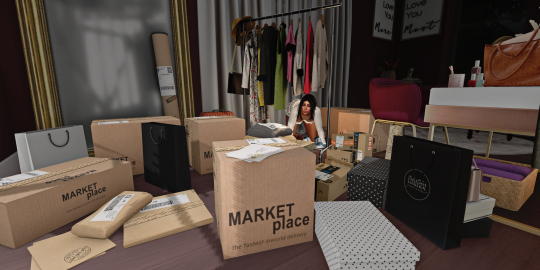
Sure, I could shop less. And technically, I do. But come on! This is Second Life. Shopping is practically a national sport here. Between sales, gifts, events, and those “limited-time-only” items you never actually unpack, it’s a losing battle.
If you’re a newbie, take this as a friendly warning: don’t take your inventory lightly. You’re still in the honeymoon phase… You only have a few things, maybe a handful of folders… You can still find stuff without using search like a detective. Start organising now, while you still can. Because one day, you’ll wake up with a 150,000-item inventory, multiple versions of the same hair, and no memory of what half your landmarks are.
Is There Any Point to Cleaning Up?
Now, you might be wondering if there is really an advantage to keeping your inventory tidy? Especially if you’re new and only have a few thousand items. Maybe you don’t plan to wear things more than once, or you think, “Who cares, it’s all digital anyway.” Fair question.
I mean … you don’t have to keep it tidy. If you’re a minimalist by nature or you don’t mind scrolling endlessly through folders named “Stuff,” then go wild. But think of it like your desktop in real life: just because it’s not physical clutter doesn’t mean it isn’t slowing you down.
A bloated inventory can make your viewer slower, take longer to load, and turn outfit changes into a test of patience. More importantly, once it gets out of hand, the cleanup becomes so overwhelming that most people give up entirely.
The trick isn’t perfection; it’s prevention.
A few minutes of organisation now will save you hours later and maybe a small nervous breakdown.
So yes, there’s an advantage: less lag, faster loading, and actually knowing what you own. And who knows, you might even rediscover that one outfit you loved three years ago and forgot existed.
I see posts pop up all the time on social media asking for tips on how to organise inventory because, realistically, nobody tells you how to do it when you first start Second Life. And they really should. It should be right there in the “Starting Your Second Life” guide, somewhere between “how to walk” and “how to detach a box from your head.”
How I Keep My Sanity (Most Days)
First of all, I’m an advocate for the CTS Wardrobe. Yes, it can be tedious work, but I wouldn’t do my virtual living without it. When I want to dress, that’s where I look. If I’m searching for something specific, whether it’s a brand, a mini-skirt, or short hair, it’s all tagged, sorted, and right there. It saves me hours of scrolling and swearing.
Some people find it easier to stick with folders. And that’s perfectly fine. The way you organise your inventory is personal, like how some people colour-code their closets while others just know their favourite jumper is “somewhere in that pile.”
Remember: the person swearing by their method isn’t automatically right. What works for them might make zero sense to you. There’s no single “best” system. The only wrong approach is pretending you don’t need one, because eventually, you will.
Whether you’re a folder purist, a CTS convert, or someone just winging it, what matters is that you start before it gets out of hand. Because trust me, once it does, every cleanup feels like archaeology.
My Cleanup Routine (a.k.a. The Netflix Method)
Most nights, when I’m not on late shifts, or not too tired, I’ll throw on something from Netflix that doesn’t require my full attention. Usually something I’ve seen a dozen times and love: Smallville, Supernatural, Charmed… the comfort food of TV. Then I start sorting my recent folders.
I already did a big purge when I came back to Second Life. Everything pre-2016 is gone, except a few sentimental bits I couldn’t part with. But somehow, my inventory still kept growing and growing. I don’t even know what half of it is. I tried to keep it under 100k items. I failed. Miserably.
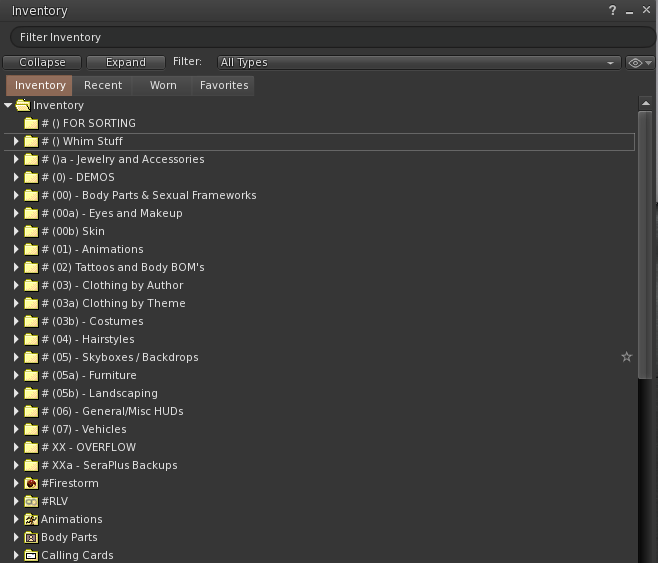
First, I moved everything marked no copy into one folder. That’s gacha stuff – half treasure, half trash, but you can’t just toss it. Then I got smart about it. I used filters and decided to look at anything older than 18 months. My thinking was simple: if I haven’t used it, worn it, or even remembered it exists in the past year and a half… will I really miss it? No. Because apparently, I didn’t even know I owned it.
Worst case, I suddenly remember it and hit a redelivery terminal. No harm done. Once I’ve got that list of forgotten things, I skim through in case something jumps out at me—like a name I recognise or a sentimental piece I’d regret deleting. Everything else? Gone.
And just like that, I deleted around 10,000 items. I was proud for about five minutes, until I checked the total and realised… I still have work to do. I might try again using a 12-month filter and see if I can trim another chunk. It’s oddly satisfying, in a slightly masochistic way.
Tips and Traditions for Second Life Inventory Cleanup Week
So, what do you actually do during Cleanup Week? You could just open your inventory, stare at the chaos, sigh dramatically, and log off. I’ve done that. More than once. But if you want to make progress, here’s the plan:
- Start with the low-hanging lag. Sort by “most recent” and delete anything called “Object,” “New Folder,” “Untitled,” or “Demo.” If you have something called “Test,” “Test 1,” or “Test Final,” delete those too. You’re not reopening them. You know you’re not.
- Delete all your landmarks. Be ruthless. Most stores move, sims shut down, and even your favourite hangouts eventually vanish. If you need a store, check the creator’s profile for a teleport or use your teleport history. And while you’re at it, delete all notecards. If it was important, it’s outdated now.
- In your items folder, delete what you don’t use. If you’ve switched bodies or heads, there’s no point keeping everything. I don’t have a Reborn body or use my Genus head, so I deleted all of that. Same goes for HUDs. Most of the time, those single-item HUDs only change a tiny detail like button colour or zipper metal. I set it once, always gold for me, and toss it. Then there’s BOM layers. You might have paid for ten makeup colours, but realistically, you only wear three. Keep the ones you love and delete the rest. It feels wrong the first time, but the freedom is worth it.
- Folder therapy. Create a “Maybe Keep” folder for the things you can’t decide on. Six months from now, when you haven’t touched it once, you’ll know what to do.
Bonus tip: add the date to the folder name. You’ll be amazed how fast “New Hair” turns into “Vintage Hair – 2020.” - Make it social. Cleaning doesn’t have to be lonely. Do a cleanup stream, invite friends on Discord, or turn it into a drinking game. Every time you find a demo you swore you’d delete? Sip.
Although, I’d be careful with the drinking part… you wouldn’t want to wake up to an empty inventory and the faint memory of saying, “Screw it, I’ll just start over.” - Reward yourself. When it’s done, or at least less terrible, treat yourself to something nice in-world. The goal isn’t perfection; it’s progress. And if you’ve freed up 20,000 items, that absolutely deserves a shopping trip. But remember: you just bought yourself something new, so unpack it right away and sort it properly. Otherwise, congratulations: you’ve just undone all your hard work…
👉 Before You Hit ‘Delete’
Second Life Inventory Cleanup Week isn’t about turning into Marie Kondo with mesh folders. It’s about taking a breath, decluttering your digital life, and maybe rediscovering that one item you loved and forgot about. So from November 1st to 7th, grab a drink, open that inventory, and let’s give Alpha Zaius’s tradition the comeback it deserves.
What are your tips for surviving inventory cleanup? How do you organise your folders? Are you one of those hyper-organised people with colour-coded categories, or do you live dangerously with a folder called “Misc”?
And most importantly: are you Team CTS Wardrobe or Team Folders Forever?
So go ahead! Empty that trash, face the mayhem, and reclaim your virtual sanity. Alpha Zaius would be proud.
P.S. Huge thanks to all the creators who include a picture and the UUID in their products. You save us time, sanity, and hours of detective work in our quest to keep our inventories clean. It’s genuinely appreciated.
Second Life Inventory Cleanup Mini FAQ
Q: Does cleaning my inventory really help performance?
A: Yes. A bloated inventory can slow down loading, cause outfit changes to lag, and make searches crawl. Fewer items mean faster everything and a little peace of mind.
Q: Should I delete old gachas or keep them just in case?
A: If they’re transferable, stash them in a “Maybe” folder or sell them. If they’re not, decide if you love them or if they’re just collecting digital dust.
Q: How often should I clean?
A: Think of it like laundry: ignore it too long and you’ll regret it. Ideally, it should be be every time you buy something. Go on a shopping spree, then go home, unpack, and sort it right away. Waiting “until later” is how you end up with 100K items, duplicates, and no idea what half of them are. Treat it like part of the shopping process: buy, unpack, organise, delete what you don’t need. Your future self will thank you.
Q: Folders or CTS Wardrobe?
A: Totally up to you. CTS is great if you like visual organisation and tagging. Folders are fine if you prefer the classic method. Just have a system before your inventory starts filing a complaint.
Q: What’s the Favourites tab actually good for?
A: Quick access to your most-used things: HUDs, pets, or anything you constantly attach and detach. Keep it minimal, though. Too many items defeat the purpose.
Q: Will I regret deleting things?
A: Probably not. If you didn’t remember owning it, you won’t miss it. And redelivery terminals exist for a reason…



I was about to post this under “Second Life Needs Better Onboarding. So I Built One.” But YT won’t let me log in without handing over my phone number anymore… And your site is super confusing, I can’t find the most recent post or a post about this video, so here it goes.
I joined SL to build, then I found out I will never be able to afford a Sim and left within 2 weeks. I eventually logged in out of boredom during Covid and met someone who ended up sending me a lot of stuff to decorate his sim. It turned into a fantasy forest and I made him an elven palace, but a few months later he quit SL. Then I went back to creating for VRChat and only occassionally logged into SL. I can not build the things I would like to on tiny plot with a few LI, there isn’t much interesting stuff for male avatars apart from a handfull of stores like Contraption and I can’t do my own clothes because the dev kits are being gatekept. I can also not socialize, because It’s hard to find people who aren’t coomers and places where their exhibitionism isn’t forced upon you don’t seem to exist at all. Exploring on your own and being reminded you can never get creative in this virtual world gets boring eventually. I’m currently losing the last bit of interest I had in SL. VRChat might be limited in some areas, but you can actually do so much more than in SL when you’re the creative type who also likes to socialize. And it runs a lot better which means I can take my old potato laptop to work and log in, SL meanwhile is a ~5 fps slideshow on the lowest settings.
NOTHING will help with user retention, as long as LL refuses to join the modern age where they’re by far not the only platform of this type anymore. They also need to do something to enforce content optimization btw. This is basic tutorial level stuff, just like decent LODs btw, there is no excuse to lag down the grid with that garbage. Triangle, texture and script limits on avatars would be a good start, since they’re some of the worst offenders. The average avatar is 1-5 million tris and waaaaaaaaay too heavy in textures as well. Yet LL promotes things like LAGacy, one of the worst bodies on the grid, and lets it’s hack creators put 2k textures(yeah, often multiple) on a damn necklace or pair of pants.
I’m glad you took the time to write this because there’s a lot in here that reflects what many people experience but don’t always articulate this clearly.
You’re not wrong. But what you’ve described isn’t just a list of problems. It’s a pattern.
Joining to build, hitting a cost wall, struggling to find people, logging in and out of boredom… that’s exactly how disengagement happens in Second Life. Not through one big failure, but through a series of small disconnects.
The building side is a good example. Second Life does allow a lot of creative freedom, but it doesn’t explain what that freedom actually requires. Land, tools, knowledge of the ecosystem, access to dev kits. Without that context, it feels like you’ve hit a hard limit when in reality you’ve just stepped into a system that hasn’t been explained.
That doesn’t make your experience any less valid. It just shows where the gap is.
The same applies to your point about clothing and creation being gatekept. From the outside, it can absolutely feel that way. The ecosystem is layered and often relies on relationships, tools, and workflows that aren’t visible to new users. If you don’t know where to look or how to start, it feels closed.
Then there’s the social side, which I think is where most people quietly disconnect.
Finding people in Second Life isn’t straightforward. Not because they aren’t there, but because communities tend to be established and scattered. Without guidance, you end up visiting places where people already know each other, and it can feel like you’re standing on the outside of something you don’t understand yet.
That’s not unique to Second Life. It’s just more visible here because everything is persistent. You’re walking into spaces that have history.
Friendships don’t happen instantly, and they don’t come from logging in once or twice. They come from returning to the same places, seeing the same people, and letting conversations build over time. Without direction, most people never reach that point.
Your comment about logging in and out of boredom is probably the most important part of everything you said. That’s where most users actually leave because nothing is pulling them back.
On the technical side, performance and content optimisation are real issues. Heavy avatars, high-resolution textures, and unoptimised content do impact the experience, especially on lower-end machines. It’s a valid frustration. At the same time, even if those were fixed, it still wouldn’t solve the underlying problem you’ve described.
Because the core issue isn’t just performance or cost. It’s the lack of direction early on.
Second Life shows people what’s possible, but it doesn’t show them how to get there. So people assume what they’re seeing is immediate.
That gap between expectation and reality is where most people leave.
What you’ve written is exactly why I’ve been working on a different approach to onboarding. Not just explaining features, but helping people understand what path they’re actually on, what’s optional, what takes time, and where to go depending on what they want to do.
There’s nothing wrong with wanting to build, socialise, or create your own space. Those are valid reasons to be here.
The problem is that no one is guiding people toward those goals in a way that makes sense early enough.
So thank you for sharing this. It’s more useful than you probably realise.